A Spoken Morning Briefing in Home Assistant: Calendar, Weather, and Electricity Price
A daily 06:00 spoken briefing in Home Assistant: Google AI TTS, three family calendars, EV charge status, Waze traffic, power price and waste day.
Every morning I used to open the Home Assistant app to check the day's calendar, glance at the weather widget, and mentally calculate whether tonight was a good time to run the dishwasher based on the electricity price. Three separate lookups before coffee.
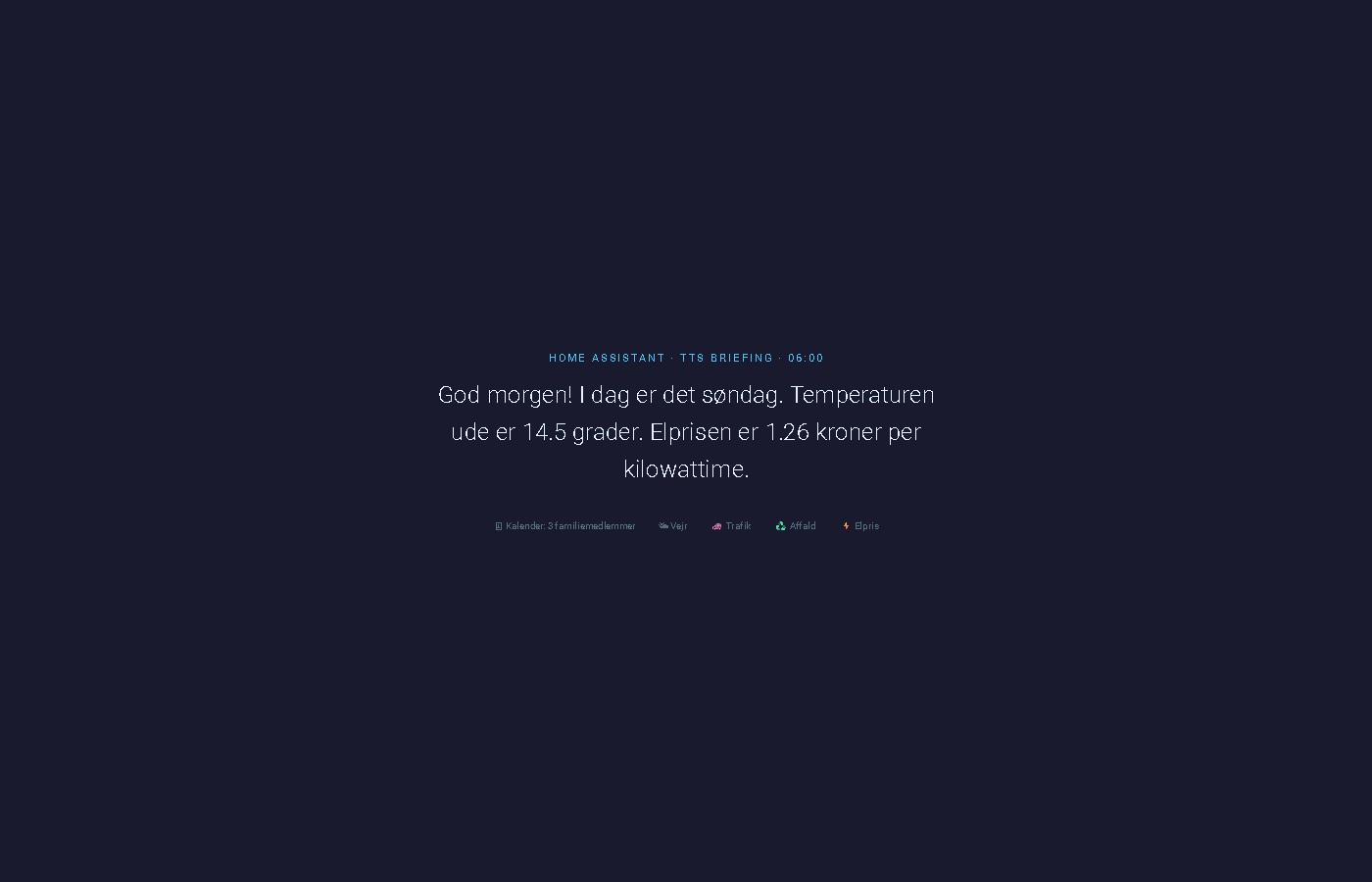
The briefing automation replaced all of that. At 06:00, the kitchen speaker reads out today's appointments across three family calendars, the outside temperature, a garbage collection countdown when pickup is tomorrow, and the current electricity spot price. The whole thing takes about 15 seconds.
What the briefing actually says
On a typical morning it sounds like this:
"Good morning! Today is Monday. The temperature outside is 14 degrees. You have 2 appointments today: dentist, team meeting. Garbage collection is tomorrow. The electricity price is 0.42 kroner per kilowatt-hour."
On a quiet day with no appointments and no upcoming garbage collection, it trims down to weather and price. Nothing is read out if there's nothing to say — no filler lines.
The key pattern: calendar.get_events with response_variable
Most Home Assistant automation tutorials stop at triggering on a calendar event. This automation takes a different approach: it actively queries the calendar for today's events and uses the response in a template.
The calendar.get_events action returns a structured response that you can store in a variable and access in subsequent template steps:
- action: calendar.get_events
  target:
    entity_id: calendar.rolf_szimnau_dk
  data:
    start_date_time: "{{ today_at('00:00') }}"
    end_date_time: "{{ today_at('23:59') }}"
  response_variable: kalender
The response is a dict keyed by entity ID. Access the event list like this:
{% set events = kalender['calendar.rolf_szimnau_dk']['events'] %}Each event in the list has a summary field (the event title) and start/end timestamps. For a spoken briefing, only the summary matters.
Adding multiple calendars
To merge events from several family members, run a separate calendar.get_events action for each calendar with its own response_variable, then combine the lists in the template:
- action: calendar.get_events
  target:
    entity_id: calendar.annette_familie
  data:
    start_date_time: "{{ today_at('00:00') }}"
    end_date_time: "{{ today_at('23:59') }}"
  response_variable: kalender_annette

- action: calendar.get_events
  target:
    entity_id: calendar.louise_familie
  data:
    start_date_time: "{{ today_at('00:00') }}"
    end_date_time: "{{ today_at('23:59') }}"
  response_variable: kalender_louise
In the message template:
{% set events = events_rolf + events_annette + events_louise %}If two people share the same event, it gets read twice. For a family briefing that's usually acceptable — but if you want deduplication, filter by summary before merging.
The complete automation
alias: "Morgenbriefing: TTS kl. 06"
description: >
  Daily spoken briefing on the kitchen speaker at 06:00. Covers weather,
  family calendar events, garbage collection, EV charge status and
  preconditioning confirmation, commute traffic, and electricity spot price.
mode: single
trigger:
  - platform: time
    at: "06:00:00"
action:
  - action: calendar.get_events
    target:
      entity_id: calendar.rolf_szimnau_dk
    data:
      start_date_time: "{{ today_at('00:00') }}"
      end_date_time: "{{ today_at('23:59') }}"
    response_variable: kalender
  - action: calendar.get_events
    target:
      entity_id: calendar.annette_familie
    data:
      start_date_time: "{{ today_at('00:00') }}"
      end_date_time: "{{ today_at('23:59') }}"
    response_variable: kalender_annette
  - action: calendar.get_events
    target:
      entity_id: calendar.louise_familie
    data:
      start_date_time: "{{ today_at('00:00') }}"
      end_date_time: "{{ today_at('23:59') }}"
    response_variable: kalender_louise
  - action: tts.speak
    target:
      entity_id: tts.google_ai_tts
    data:
      media_player_entity_id: media_player.hojtaler_kokken
      language: da-DK
      message: >-
        {% set dage = ['mandag', 'tirsdag', 'onsdag', 'torsdag', 'fredag', 'lørdag', 'søndag'] %}
        {% set dag = dage[now().weekday()] %}
        {% set events_rolf = kalender['calendar.rolf_szimnau_dk']['events'] %}
        {% set events_annette = kalender_annette['calendar.annette_familie']['events'] %}
        {% set events_louise = kalender_louise['calendar.louise_familie']['events'] %}
        {% set events = events_rolf + events_annette + events_louise %}
        {% set temp = state_attr('weather.forecast_home', 'temperature') %}
        {% set affald = states('sensor.affalddk_bytoften_1_naeste_afhentning') | int(99) %}
        {% set elpris = states('sensor.energi_data_service') | float(0) | round(2) %}
        {% set km = states('sensor.skoda_elroq_range') | int(0) %}
        {% set bat = states('sensor.skoda_elroq_battery_percentage') | int(0) %}
        {% set maal = states('sensor.skoda_elroq_target_battery_percentage') | int(80) %}
        {% set lader = states('sensor.skoda_elroq_charging_state') %}
        {% set ac = states('climate.skoda_elroq_air_conditioning') %}
        {% set rejsetid = states('sensor.rejsetid_vejle_travel_time') | float(0) | round(0) | int %}
        {% set normal = states('sensor.rejsetid_vejle_normal') | float(0) | round(0) | int %}
        God morgen! I dag er det {{ dag }}.
        Temperaturen ude er {{ temp }} grader.
        {% if events | length > 0 %}
        Du har {{ events | length }} aftale{% if events | length > 1 %}r{% endif %} i dag:
        {% for event in events %}{{ event.summary }}{% if not loop.last %}, {% endif %}{% endfor %}.
        {% else %}Ingen aftaler i dag.
        {% endif %}
        {% if affald == 0 %}Husk: affald hentes i dag!
        {% elif affald == 1 %}Husk: affald hentes i morgen.
        {% endif %}
        {% if km > 0 and km < 100 %}Elroq har kun {{ km }} kilometer tilbage.
        {% endif %}
        {% if lader == 'charging' %}Elroq lader: {{ bat }}% ud af {{ maal }}%.
        {% elif bat < maal %}Elroq er {{ bat }}% – har ikke nået målet på {{ maal }}%.
        {% endif %}
        {% if ac != 'off' %}Elroq varmer op.
        {% endif %}
        {% if now().weekday() < 5 %}
        {% if rejsetid > 0 %}Kørsel til arbejde tager {{ rejsetid }} minutter{% if normal > 0 and rejsetid - normal >= 5 %}, {{ rejsetid - normal }} minutter mere end normalt{% endif %}.
        {% else %}Trafikdata mangler.
        {% endif %}{% endif %}
        Elprisen er {{ elpris }} kroner per kilowattime.
Adapting it to your setup
Different speaker — replace media_player.hojtaler_kokken with any HA media player entity. The tts.speak action works with Google Home, Nest Audio, Sonos, and any media player that supports audio playback. For Sonos and Google Nest speakers running together, target the specific device rather than a speaker group to avoid TTS queueing issues.
Different TTS engine — swap tts.google_ai_tts for tts.google_translate_en_com for the free option. Remove the language: da-DK field and write the message in English if using the English Google Translate engine.
Different electricity sensor — replace sensor.energi_data_service with your spot price sensor. The Energi Data Service integration provides Danish hourly spot prices including VAT and grid tariffs.
Weekdays only — add a condition above the actions:
condition:
  - condition: time
    weekday:
      - mon
      - tue
      - wed
      - thu
      - fri
Different garbage sensor — the sensor.affalddk_bytoften_1_naeste_afhentning entity comes from the Affald.dk integration and returns the number of days until the next collection. Replace with your own waste collection sensor and adjust the threshold values.
Adding EV charge status and preconditioning
Two sensors from the MyŠkoda integration (or any EV integration that exposes charge state) make the briefing aware of whether the car is ready for the day.
Charge status — the briefing only speaks when something needs attention. If the car hit its target overnight, nothing is said.
{% set bat = states('sensor.skoda_elroq_battery_percentage') | int(0) %}
{% set maal = states('sensor.skoda_elroq_target_battery_percentage') | int(80) %}
{% set lader = states('sensor.skoda_elroq_charging_state') %}
{% if lader == 'charging' %}Elroq lader: {{ bat }}% ud af {{ maal }}%.
{% elif bat < maal %}Elroq er {{ bat }}% – har ikke nået målet på {{ maal }}%.
{% endif %}
sensor.skoda_elroq_target_battery_percentage is set in the MyŠkoda app and exposed directly as a HA sensor. If your EV integration doesn't expose the charge target, replace maal with a hardcoded number like 80.
Preconditioning confirmation — if a morning warmup automation runs a few minutes before 06:00, the briefing can confirm it actually started:
{% set ac = states('climate.skoda_elroq_air_conditioning') %}
{% if ac != 'off' %}Elroq varmer op.
{% endif %}
This works because the warmup automation runs at 05:55 — five minutes before the briefing. By 06:00, climate.skoda_elroq_air_conditioning is either active (one short confirmation line) or still off (silent — the warmup automation handles its own failure alert separately).
Adding a traffic report
The Waze Travel Time integration adds a sensor with the current travel time, live traffic included. It needs no API key. Install it under Settings → Devices & Services → Add integration → Waze Travel Time.
Three settings decide whether it works. Use zone.home as the origin. A typed address is looked up by Waze, and mine landed 3.3 km from the house, so the commute was calculated from the wrong place. For the destination, copy the coordinates of your workplace from Google Maps.
Leave the include and exclude filters empty unless you know exactly what goes in them. They are compared character for character with the street names in the route, road number in brackets included (E45, E20 / E45). An address in one of them makes Waze reject every route. The sensor then sits at unknown, and the only trace is a warning in the log: "No routes matched your filters". Mine ran like that until I went looking. To see the exact street names, call waze_travel_time.get_travel_times under Developer tools → Actions with your origin and destination. The response lists them for each route.
Home Assistant derives the entity ID from the name you give the integration. I renamed mine to sensor.commute and sensor.commute_normal, which the examples below use.
How much worse than usual?
A fixed threshold like "more than 40 minutes" says little, because a normal morning varies. Add the integration a second time with the same origin and destination, then turn off Realtime in its options. That sensor gives the travel time on a typical day, and the difference is the delay:
{% set now_min = states('sensor.commute') | float(0) | round(0) | int %}
{% set normal = states('sensor.commute_normal') | float(0) | round(0) | int %}
{% if now().weekday() < 5 %}
{% if now_min > 0 %}Drive to work: {{ now_min }} minutes{% if normal > 0 and now_min - normal >= 5 %}, {{ now_min - normal }} more than usual{% endif %}.
{% else %}Traffic data is missing.
{% endif %}
{% endif %}
The last branch matters as much as the rest. My first version skipped the sentence when the travel time was 0, so a broken sensor only made the briefing a little shorter, and nobody noticed. "Traffic data is missing" gets noticed the next morning.
Country road or motorway
I can drive to work on a country road or on the motorway, and which one is faster changes from day to day. Waze returns up to four alternatives, and from my house the motorway was never among them, even on days when Google Maps put it first. A filter only chooses among the routes Waze returns, so it can't force the motorway.
The fix is to split the motorway route at a point on the motorway itself: one Waze entry from home to that point and one from the point to work, added together in the template. Pick the point on the carriageway in your direction of travel. The two carriageways are only about ten metres apart, and a point on the wrong one gives a detour with a U-turn, which shows up as an odd distance in get_travel_times. On the country-road sensor, put the motorway names in the exclude filter, so it never switches to the motorway by itself.
Every travel time now has a normal-day sensor next to it, and with the motorway split in two that makes six Waze sensors. That is a lot of calls every five minutes for one sentence a day. I turned off polling on all of them (the integration entry's ⋮ menu → System options) and let the automation refresh them right before it speaks:
  - action: homeassistant.update_entity
    target:
      entity_id:
        - sensor.commute
        - sensor.commute_normal
    continue_on_error: true
  - delay:
      seconds: 20
Accidents and roadworks
The Waze integration gives the travel time, not the reason for a delay. In Denmark, the road directorate's traffic map (trafikkort.vejdirektoratet.dk) loads its incidents from a public JSON feed that needs no key. The feed is undocumented, so it can change without notice. This REST sensor keeps only active incidents within 1.5 km of your route. Replace ROUTE with points along your own route, roughly one per kilometre, as [latitude, longitude]:
rest:
- resource: https://storage.googleapis.com/trafikkort-data/geojson/big-screen-events.json
scan_interval: 300
timeout: 30
sensor:
- name: Traffic incidents commute
value_template: >-
{#- points along your route, about 1 km apart -#}
{%- set ROUTE = [[56.0000, 9.0000], [56.0090, 9.0010], [56.0180, 9.0030]] -%}
{%- set ns = namespace(seen=[], out=[]) -%}
{%- for fc in value_json | reverse -%}
{%- for f in fc.features -%}
{%- set p = f.properties -%}
{%- set id = p.featureId | default('') | regex_replace('\\.\\d+$', '') -%}
{%- if id not in ns.seen -%}
{%- set ns.seen = ns.seen + [id] -%}
{%- set c = f.geometry.coordinates -%}
{%- if c[0] is not number -%}{%- set c = c[0] -%}{%- endif -%}
{%- set lon = c[0] | float(0) -%}{%- set lat = c[1] | float(0) -%}
{%- set near = namespace(v=false) -%}
{%- for q in ROUTE -%}{%- if ((lat - q[0]) * 111.2) ** 2 + ((lon - q[1]) * 62.9) ** 2 < 2.25 -%}{%- set near.v = true -%}{%- endif -%}{%- endfor -%}
{%- set h = p.header | default('') | regex_replace('<[^&]*>\\s*', '') | regex_replace('<[^>]*>\\s*', '') | replace('&', '&') | trim -%}
{%- set start = strptime(p.beginPeriod | default(''), '%d-%m-%Y kl. %H:%M', none) -%}
{%- set fresh = start is not none and (as_timestamp(now()) - as_timestamp(as_local(start))) < 43200 -%}
{%- if p.suspended | string | lower == 'false' and near.v and fresh and h not in ns.out -%}
{%- set ns.out = ns.out + [h] -%}
{%- endif -%}{%- endif -%}
{%- endfor -%}{%- endfor -%}
{{ (ns.out | join('. ') or 'None')[:250] }}Two details took the longest. Every incident appears in several versions, with IDs ending in .1, .2 and so on, and only the newest says whether it is over (suspended). The template groups on the ID without the suffix and uses the newest. And the feed only holds about a day of history, so test against an incident that is happening now, not one from yesterday.
The briefing then reads the sensor out when it holds anything other than None:
{% set incidents = states('sensor.traffic_incidents_commute') %}
{% if incidents not in ['None', 'unknown', 'unavailable'] %}Traffic report: {{ incidents }}.{% endif %}
Why tts.speak and not the older service
Home Assistant 2024+ uses tts.speak called on the TTS engine entity (target: entity_id: tts.google_ai_tts), with media_player_entity_id as a data field. The older tts.google_translate_say service still works but is deprecated. The new pattern separates the engine (which produces audio) from the player (which plays it), making it easier to switch either independently.
tts.google_ai_tts is provided by the Google Generative AI integration — the same integration that powers the Gemini conversation agent in Home Assistant. It requires a Google AI Studio API key but produces natural, human-sounding speech compared to the robotic output of the free Google Translate TTS option.
Related: One Home Assistant Screen for Four People's Calendars — the dashboard that started this whole calendar integration.
New posts in your feed reader: follow with RSS In Google Search: add szimnau.dk as a preferred source